WFM is the custom software Iliad uses to manage field technician activities on its mobile network.
Activities can have different shapes: scheduled maintenance, replacement of a network device, or an urgent intervention after a fault. When I joined Iliad the product was already in motion; my work was to maintain it, evolve it, and develop new operational features.
Activity calendar
The portal opens with a dynamic calendar that gives a quick view of the activities planned for field technicians.
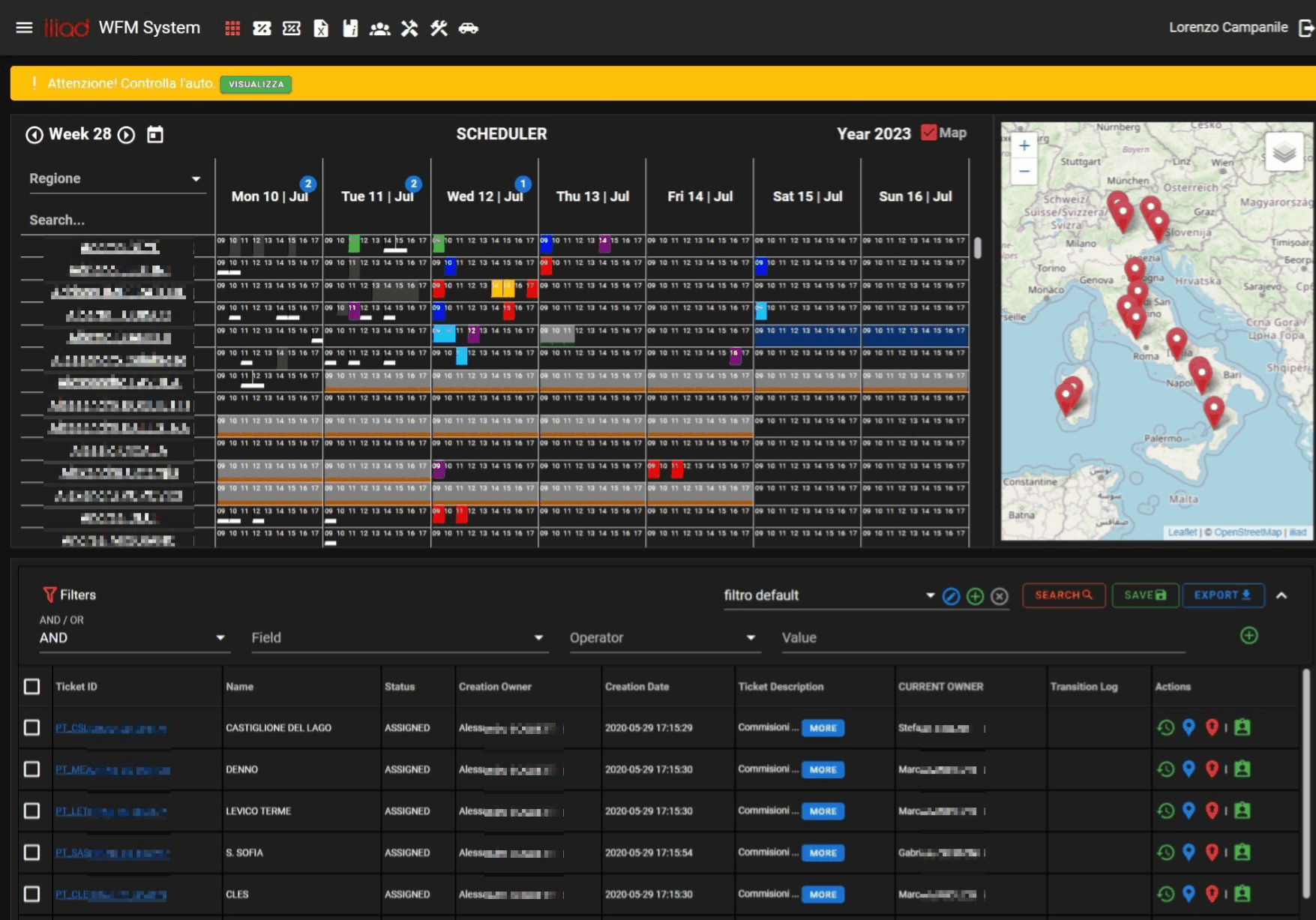
Activities can be assigned to a user, on a specific date and time slot. In some cases the assignment can be done directly from the calendar by dragging the activity into the right place.
Roles and permissions
WFM has a structured role and permission system. Each profile only sees the information and menu items needed for its work.
In the calendar view, for example, a high-privilege user can see all users, their activities, and almost every navigation section. More operational profiles get a much more limited view.
Activity list and filters
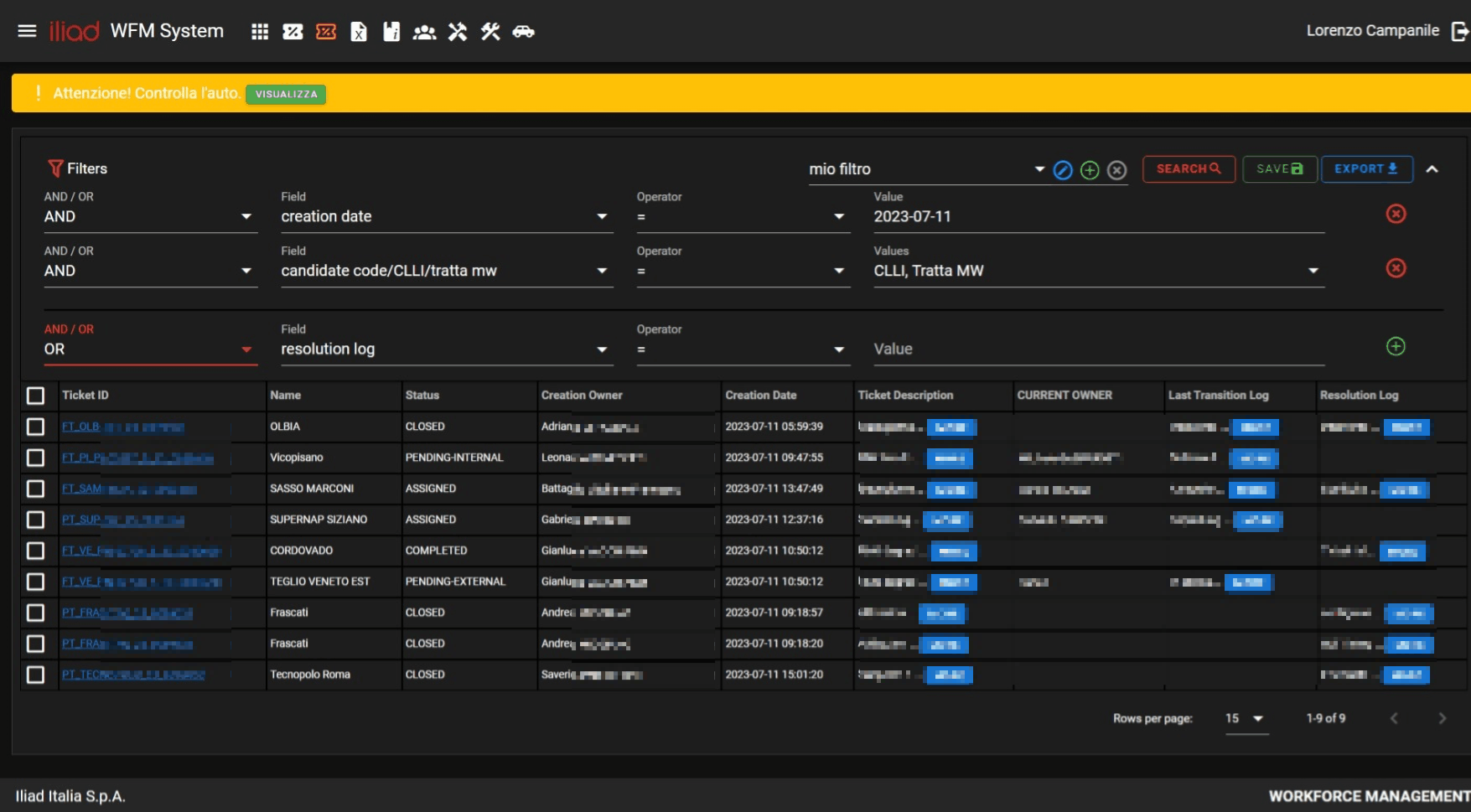
Users query the activity list for very different reasons: someone needs to monitor a region, someone follows a department, someone searches for open tickets or work items in a specific state.
For this reason, the system includes a fairly rich filtering and search flow, designed to turn a potentially large list into an operational tool.
Activity log
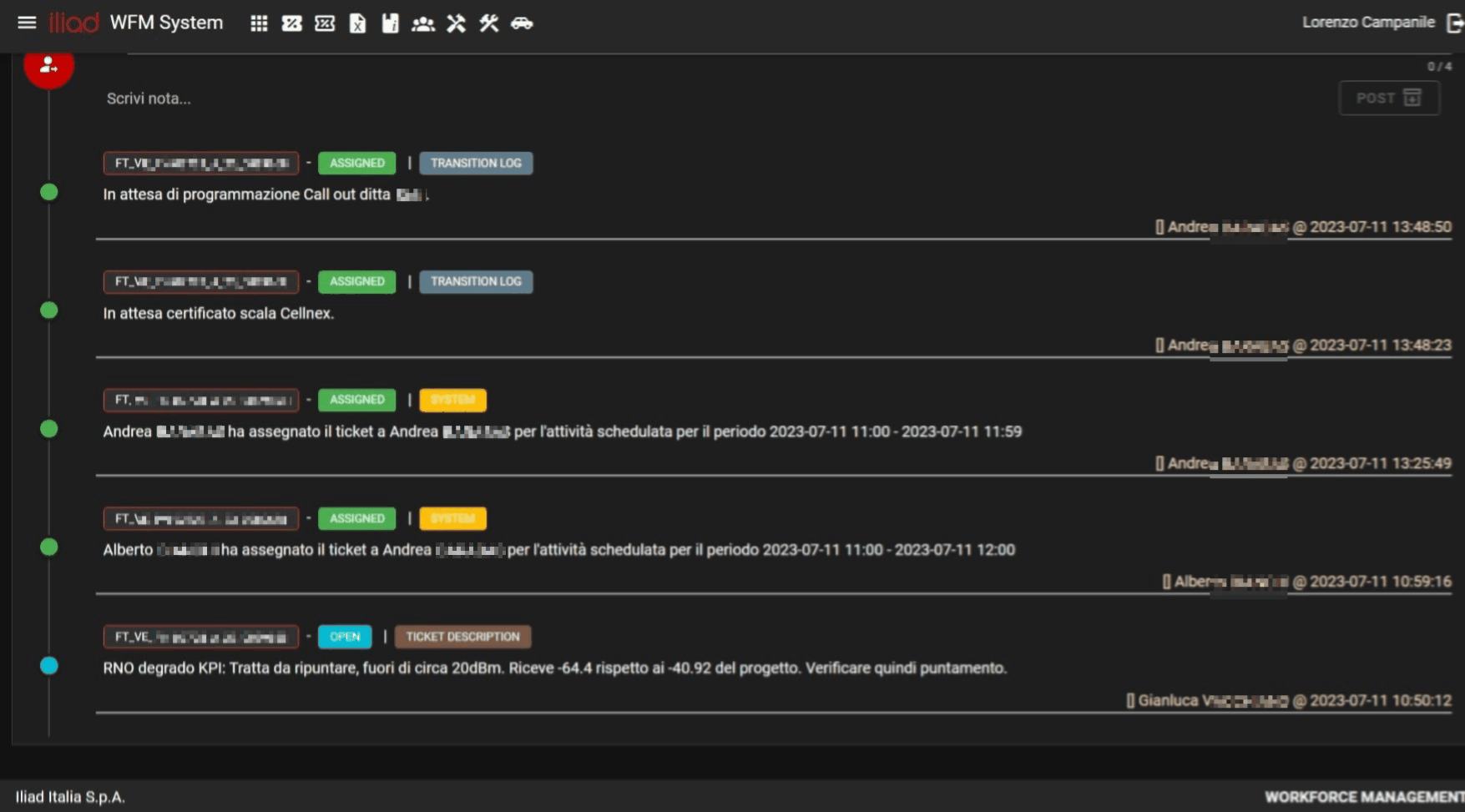
Every activity in WFM is treated as a ticket. The ticket moves through several states, from opening to resolution, and keeps the history of actions performed on it.
Resolution, note creation, and any other operational step are tracked and shown in the interface. This lets regional and department managers reconstruct the situation without chasing information across different channels.